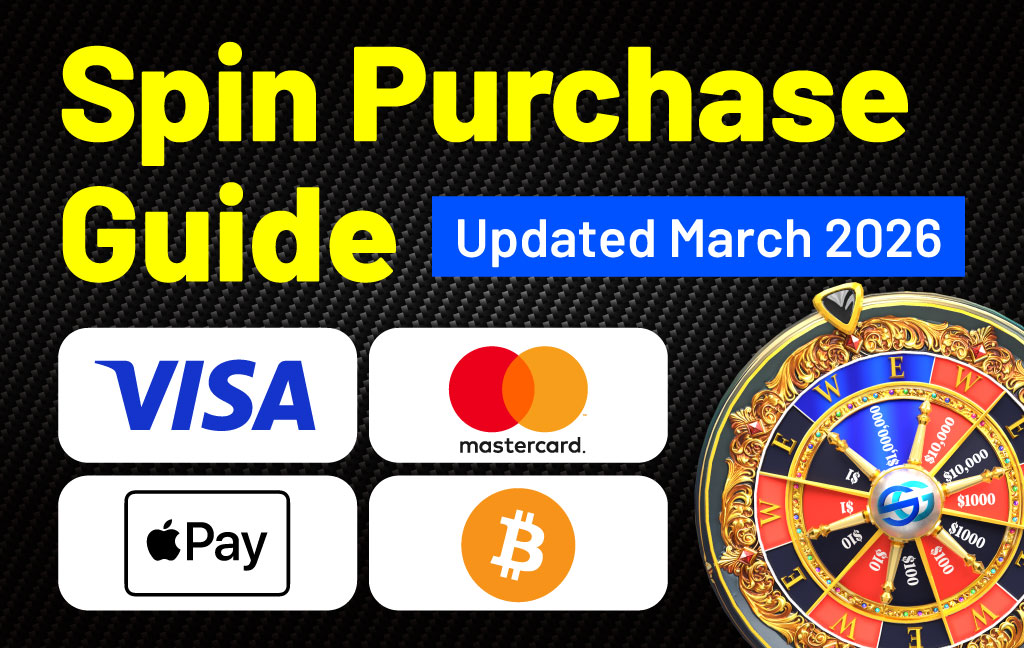
Payments are available starting from $5, and no withdrawal fees apply.
Pay with Crypto
We’ve added a new crypto payment method to make purchases in SocialGood App faster and more intuitive.
What’s New
You can now complete your purchase by simply sending crypto directly from your wallet.
No extra steps. No complex setup.
How It Works
1. Select “Pay with Crypto” at checkout
2. A payment address will be generated
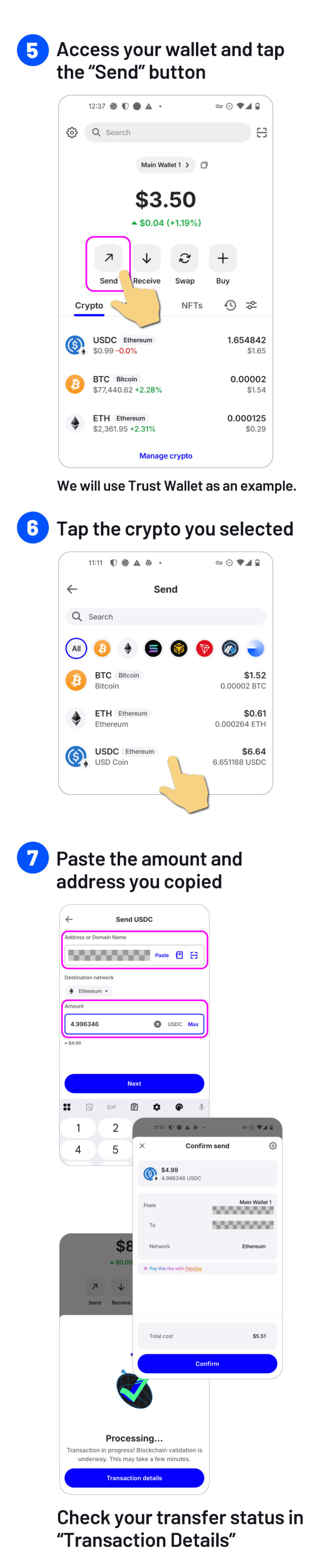
3. Send the required amount from your wallet
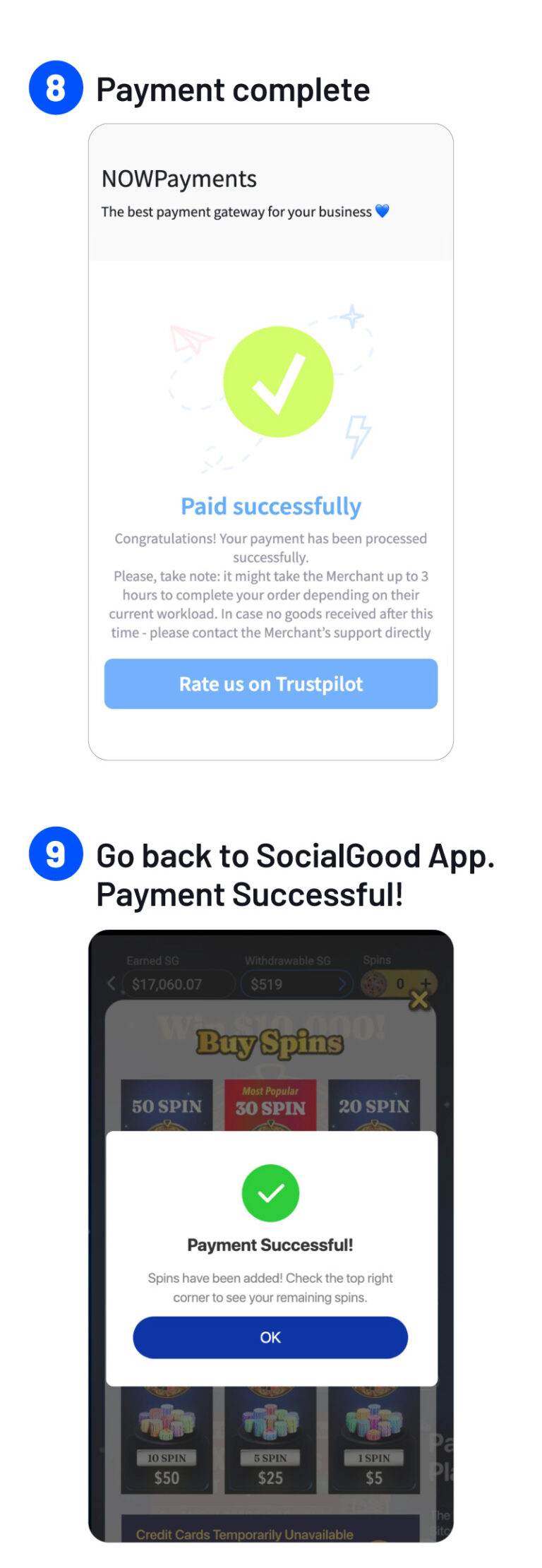
4. Once the transaction is confirmed, your purchase is completed
Why This Matters
・Simple: Just send crypto — that’s it
・Flexible: Use your preferred wallet or exchange
・Clear: Payments are verified directly on the blockchain
Notes
Payment completion depends on blockchain confirmation times
Network fees may apply depending on the blockchain used
Crypto payments, simplified.
Start using Pay with Crypto today.
How to Use Pay with Crypto
To use Pay with Crypto, you’ll need crypto in your exchange account or wallet first. If you don’t have any yet, you can buy it through an exchange or wallet app.
Currently accepted cryptocurrencies:
・BTC
・ETH
・USDC
・USDT
Payments are available starting from $5, and no withdrawal fees apply.
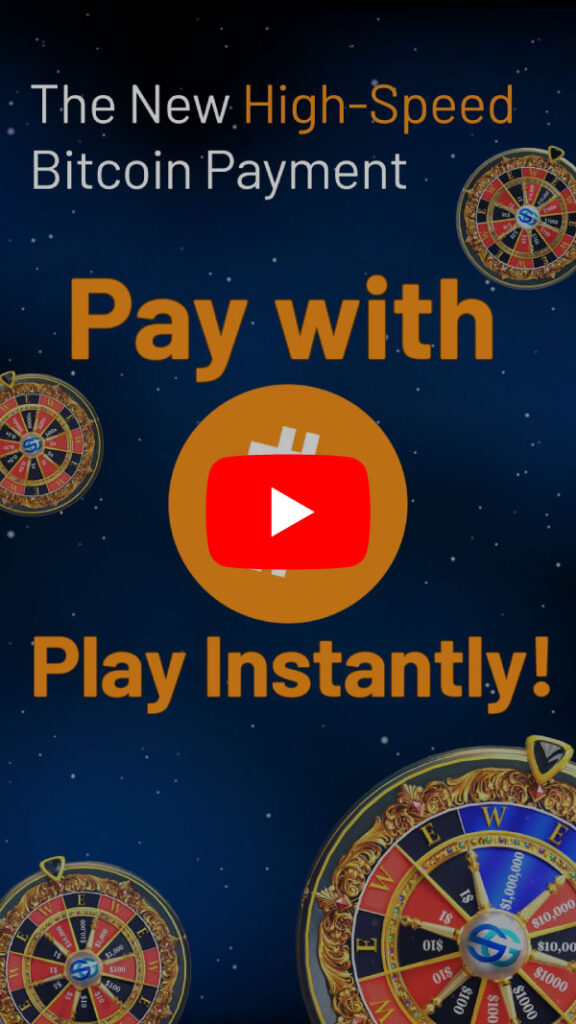
Also, our tutorial video
provides a step-by-step guide for further details.
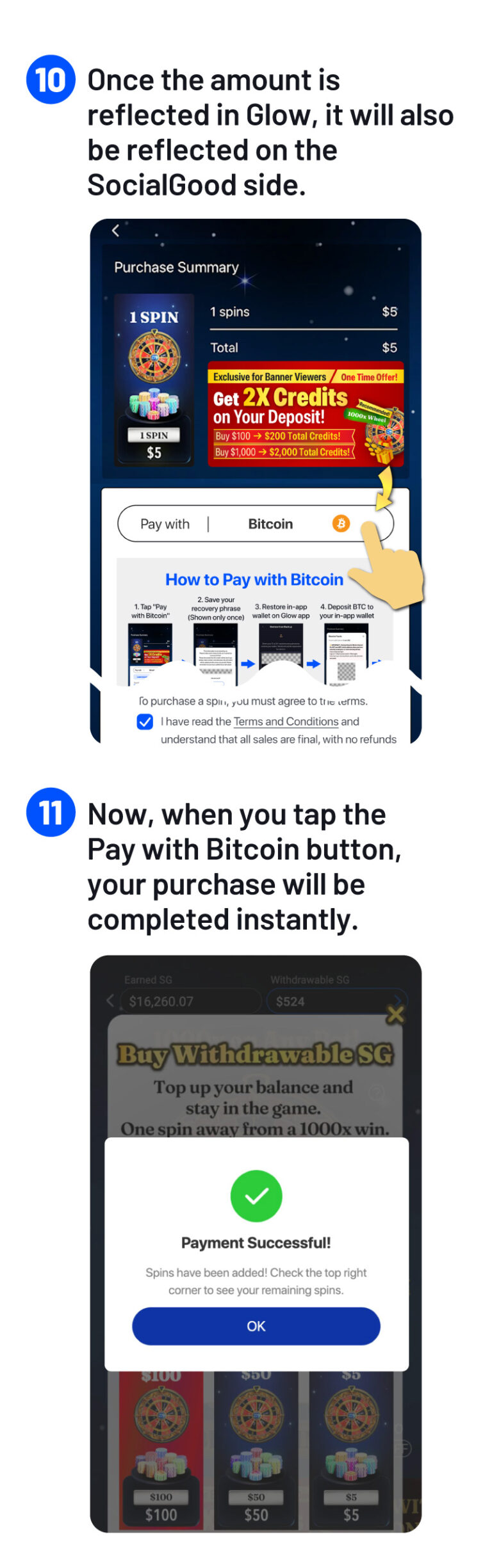
1. Send BTC to Your in-app wallet From your exchange or existing wallet, send Bitcoin (BTC) to your in-app wallet address.
2. Use Your BTC to Purchase SPIN Once your in-app wallet has a BTC balance, proceed to purchase SPIN. The payment will be automatically processed using your available BTC balance.
3. See It in Action Now, let’s take a look at the demo screen to see how it works in practice.
How to Buy Bitcoin
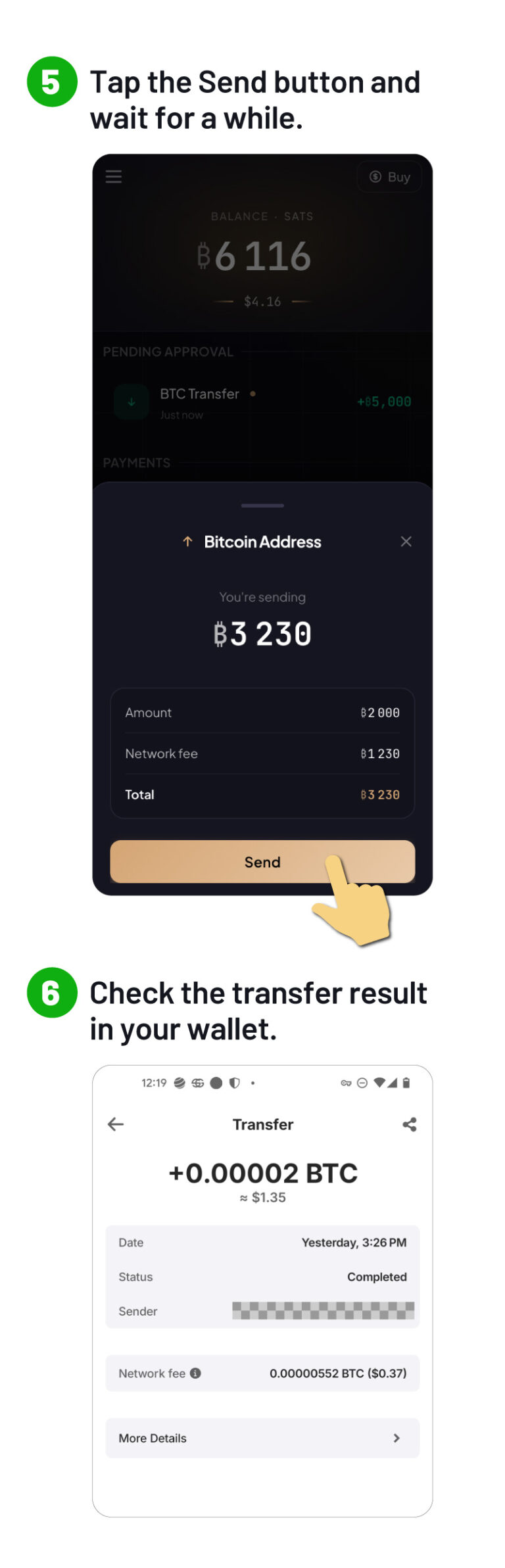
How to transfer BTC from your in-app wallet back to your own BTC address
It is very simple to send BTC from your in-app wallet to your mainnet BTC address.
On Glow-app, use “Send,” enter the BTC address you want to send to, and complete the transfer.
You can send it to your own wallet or to a BTC address on your exchange.
Once sent, it will be available on the mainnet.
You can safely send BTC to your in-app wallet.
FAQ
1. The number of Spins hasn’t increased after my payment.
Depending on the payment status, it may take some time for your Spins to be reflected.
In most cases, this will happen within a few minutes. Please wait a little while.
If your Spins are still not reflected after waiting, please contact us via the support form.
2. Can I get a refund?
All payments are non-refundable under any circumstances.
Please note that users who have requested refund through payment network may be restricted from using SPIN for a certain period of time.
However, if your purchased Spins are not properly reflected in your account, we will make sure to fix the issue. Please contact our support team through the inquiry form.
Who we are
SocialGood, Inc. has raised a total of 2.4 billion yen from venture capital. Our business model is patented in multiple countries around the world. We partner with over 20,000 companies, mainly major e-commerce and gaming companies.
Disclaimer: The SocialGood (SG) token is a utility token. SG is not a security, just as real estate and gold are not securities. The description above does not refer to the nature of SG in any way. The appreciation/price increase of SG is not guaranteed. The Company is not responsible in any way for the fluctuation of the price of SG. The Company is not liable for any loss/damage/injury of customers in relation to SG. The description above is not intended to solicit investment. The description above is only for the purpose of providing general information for customers. The description above may change without prior notice and the Company is not responsible for the current description and for updating the description.