
The New High-Speed Bitcoin Payment Guide
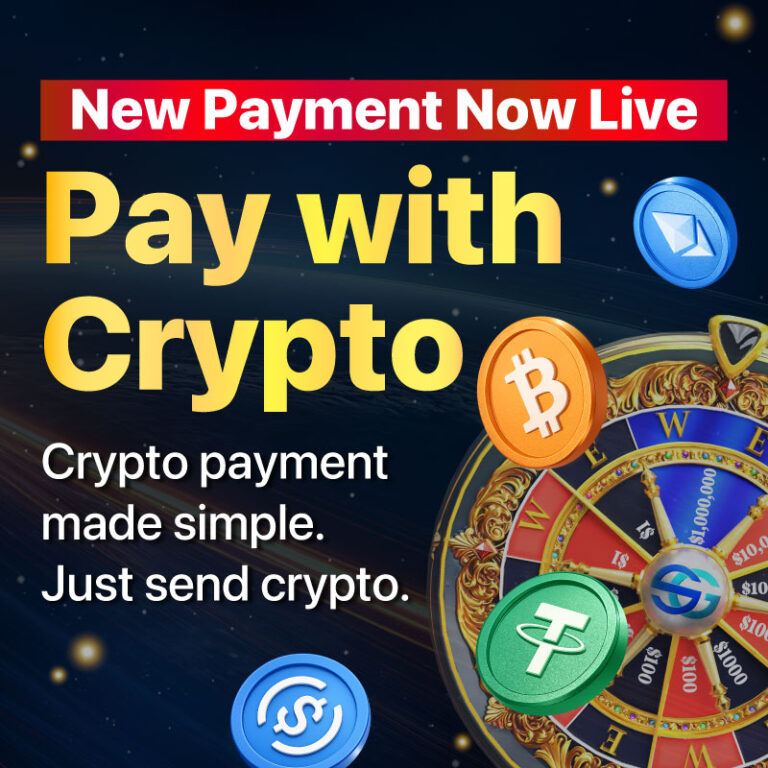
We’ve upgraded our system! You can now use Bitcoin to buy spins with zero waiting time and near-zero fees. By using the wallet on the Lightning Network, your Bitcoin payments are now as fast as a credit card.
Instant Access: No more waiting for “confirmations.” Your spins appear immediately.
Lowest Fees: Pay only the Bitcoin price, with almost no network overhead.
True Ownership: Spend your Bitcoin directly from your own wallet.
You don’t need any complicated third-party setups to start. SocialGood provides a built-in Bitcoin wallet for every user.
1. Deposit BTC to Your App Wallet
Go to Spin purchase screen and press “Buy with Bitcoin” button, then your wallet is generated. Simply deposit BTC from your exchange or any external wallet.
2. Full Ownership & Security
The wallet generated in the app is yours. You have full ownership of your funds, and you can withdraw your Bitcoin to any external wallet at any time. Your assets are always under your control.
3. Activate “Instant Pay”
To enjoy instant transactions with near-zero fees, simply use the Lightning Network option within your wallet.
* Note: Your first deposit into the Lightning Path sets up your high-speed connection. Once it’s ready, you can purchase spins instantly anytime!
Go to Spin: Select your Spin package in SocialGood.
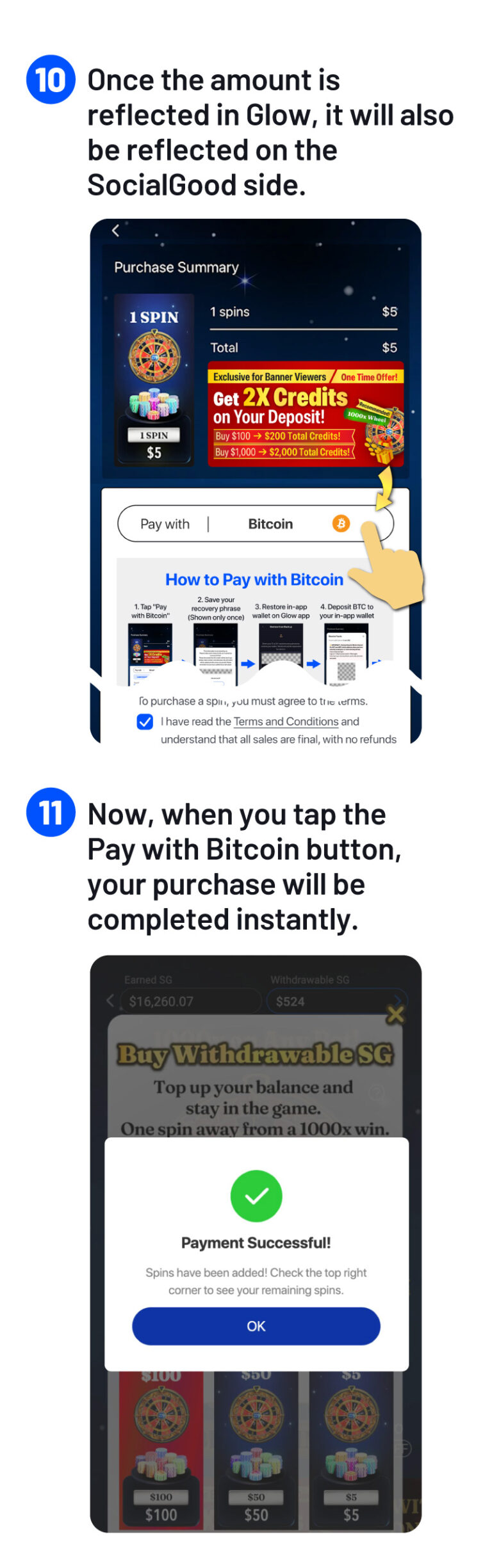
Choose “Pay with Bitcoin”: Select the Bitcoin payment option.
Deposit & Pay: Top up your BTC balance on your generated wallet.
Done! Your spins are added to your account the moment you tap “Pay with Bitcoin”.
Please see the details 👇
On the web version of Spin, you can pay using your own BTC.
Payments are available starting from $5, and no withdrawal fees apply.
Also, our tutorial video provides a step-by-step guide for further details.
1. Send BTC to Your in-app wallet
From your exchange or existing wallet, send Bitcoin (BTC) to your in-app wallet address.
2. Use Your BTC to Purchase SPIN
Once your in-app wallet has a BTC balance, proceed to purchase SPIN. The payment will be automatically processed using your available BTC balance.
3. See It in Action
Now, let’s take a look at the demo screen to see how it works in practice.





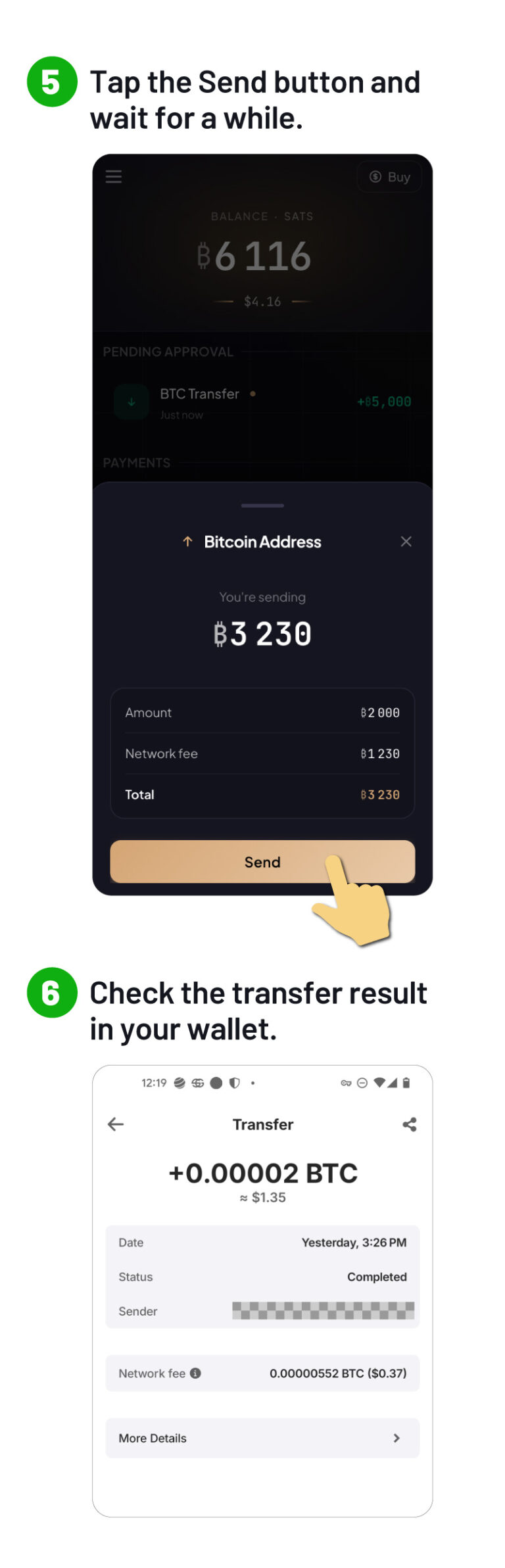
It is very simple to send BTC from your in-app wallet to your mainnet BTC address.
On Glow-app, use “Send,” enter the BTC address you want to send to, and complete the transfer.
You can send it to your own wallet or to a BTC address on your exchange.
Once sent, it will be available on the mainnet.
You can safely send BTC to your in-app wallet.

Get 2x Credits on your purchase made via Bitcoin!
Experience the fastest way to use your Bitcoin today.

As a startup, SocialGood, Inc. has raised a total of 2.4 billion yen from venture capital and has given away more than $11 million in crypto to users.


Official Website: https://socialgood.inc/
Download for iOS: https://socialgoodapp.page.link/referral-ios
Download for Android: https://socialgoodapp.page.link/referral-android
Chrome Extension: https://chrome.google.com/webstore/detail/socialgood-crypto
Twitter: https://twitter.com/socialgood_inc
Facebook: https://www.facebook.com/socialgoodinc/
Discord: https://discord.gg/Fs7u5YtWkq

The price of SocialGood (SG) will rise higher as everyone shops for what they want.
Join us now – with everyone’s combined efforts, we can all become millionaires together!