
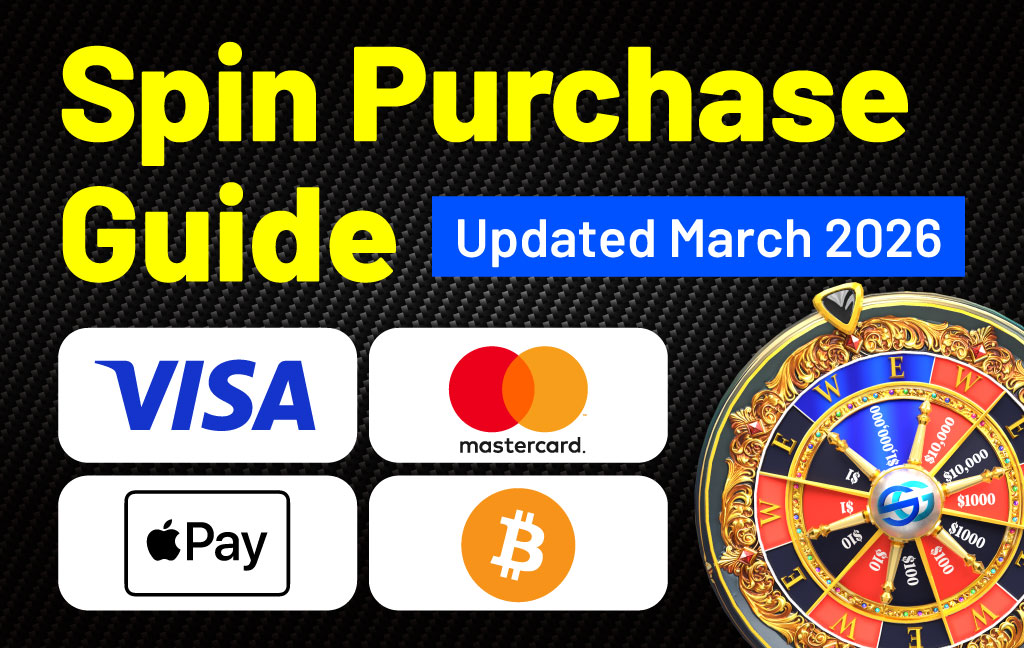
Payments by credit/debit card, Apple Pay, and Google Pay are temporarily unavailable due to maintenance.
💡 If you make a purchase via cryptocurrency (Coinbase Commerce), you will receive a same-amount bonus in Earned SG.
Please watch the video in the section titled “2. Cryptocurrency Payment (BTC, ETH, etc.)” for instructions on how to pay via Coinbase Commerce.
There are 2 ways to buy Spins:
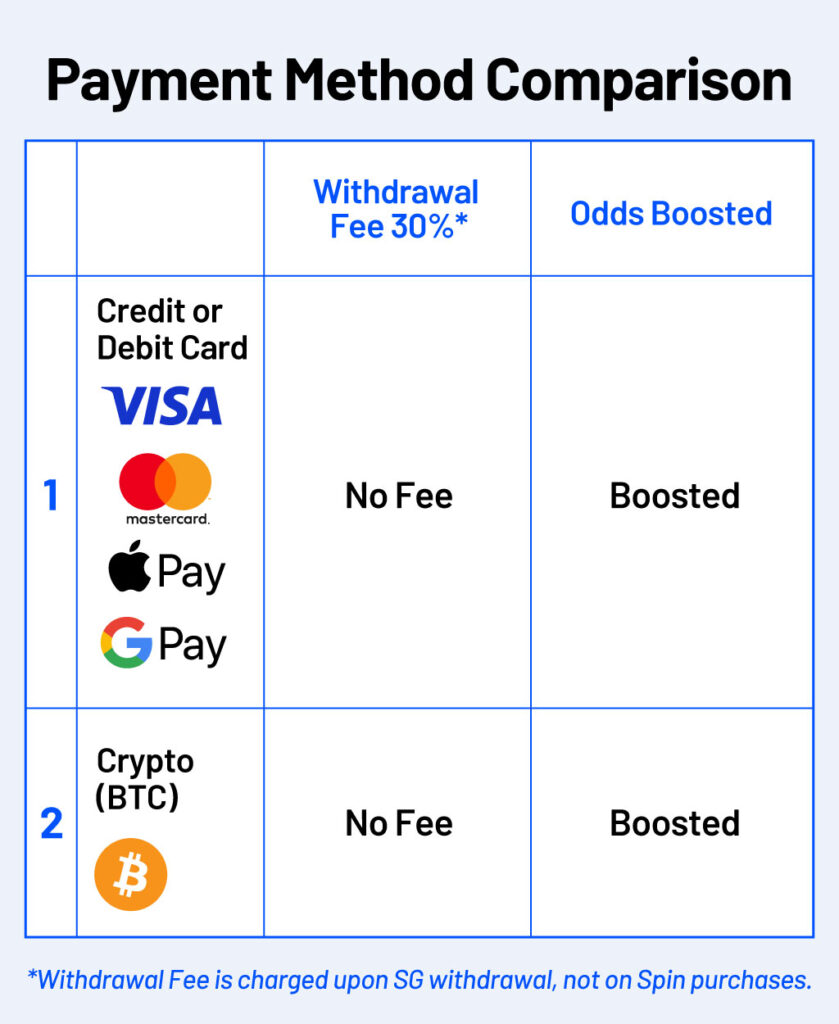
1. Payment by credit/debit card
2. Payment with cryptocurrency (BTC)
You can purchase Spins using a credit/debit card on the
web version of Spin
.
We currently support Visa, Mastercard, Apple Pay, and Google Pay.
Also, our tutorial video provides a step-by-step guide for further details.


On the
web version of Spin
, you can pay using your own BTC.
Payments are available starting from $5, and no withdrawal fees apply.
Also, our tutorial video provides a step-by-step guide for further details.
1. What is Breez?
Breez is a Bitcoin payment service. When you start using Breez, a wallet address will be generated for you. This is your personal wallet. Make sure to securely store your seed phrase, as it is required to recover your wallet.
2. Send BTC to Your Breez Wallet
From your exchange or existing wallet, send Bitcoin (BTC) to your Breez wallet address.
3. Use Your BTC to Purchase SPIN
Once your Breez wallet has a BTC balance, proceed to purchase SPIN. The payment will be automatically processed using your available BTC balance.
4. See It in Action
Now, let’s take a look at the demo screen to see how it works in practice.



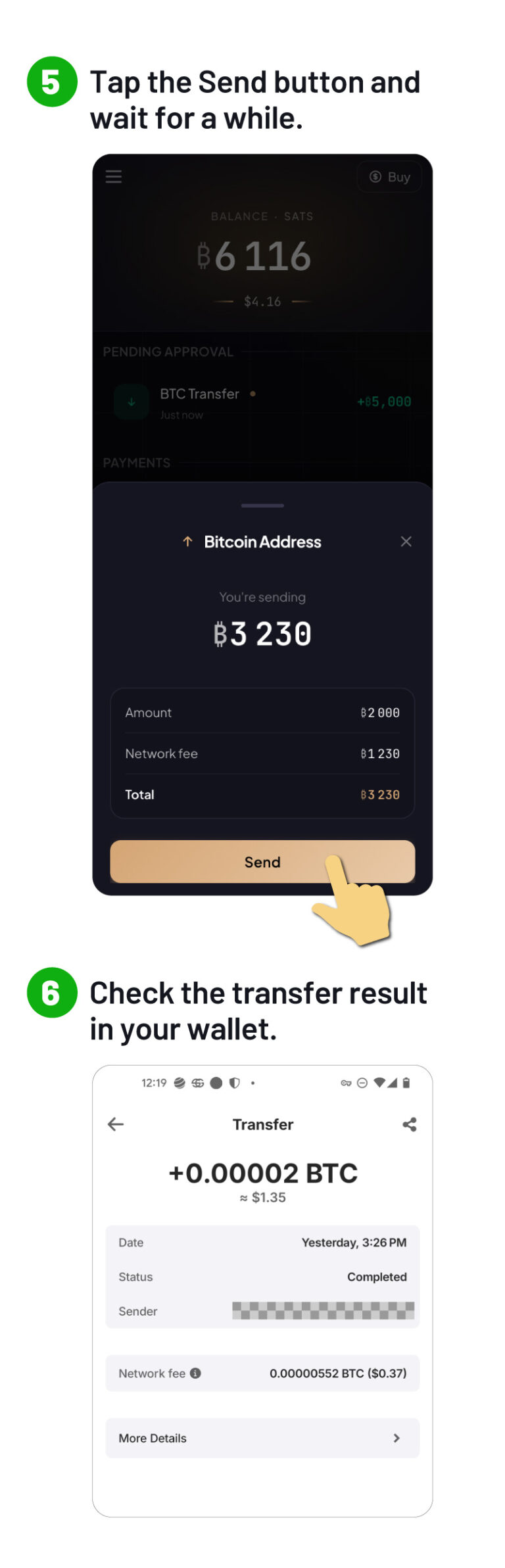
It is very simple to send BTC from your Breez wallet to your mainnet BTC address.
On glow-app, use “Send,” enter the BTC address you want to send to, and complete the transfer.
You can send it to your own wallet or to a BTC address on your exchange.
Once sent, it will be available on the mainnet.
You can safely send BTC to your Breez wallet.

Depending on the payment status, it may take some time for your Spins to be reflected.
In most cases, this will happen within a few minutes. Please wait a little while.
If your Spins are still not reflected after waiting, please contact us via the support form.
Credit card payments may fail for several common reasons:
If you’re unable to complete the payment with your credit card, please try one of the other available payment methods.
All payments are non-refundable under any circumstances. Please note that users who have cancelled their subscription using a credit card or in-app payment may be restricted from using SPIN for a certain period of time.
However, if your purchased Spins are not properly reflected in your account, we will make sure to fix the issue. Please contact our support team through the inquiry form.
As a startup, SocialGood, Inc. has raised a total of 2.4 billion yen from venture capital and has given away more than $11 million in crypto to users.


Official Website: https://socialgood.inc/
Download for iOS: https://socialgoodapp.page.link/referral-ios
Download for Android: https://socialgoodapp.page.link/referral-android
Chrome Extension: https://chrome.google.com/webstore/detail/socialgood-crypto
Twitter: https://twitter.com/socialgood_inc
Facebook: https://www.facebook.com/socialgoodinc/
Discord: https://discord.gg/Fs7u5YtWkq

The price of SocialGood (SG) will rise higher as everyone shops for what they want.
Join us now – with everyone’s combined efforts, we can all become millionaires together!